A Steam Gift Card adds prepaid credit to a Steam account. Once redeemed, the value becomes Steam Wallet funds that can be used on eligible purchases in Steam, such as games, DLC, software, and some in-game content.
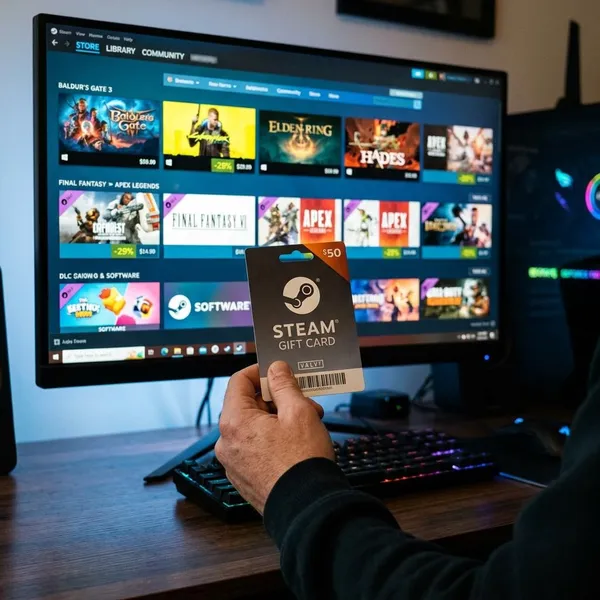
What you can buy with a Steam Gift Card
After redemption, a Steam Gift Card turns into Steam Wallet credit. That credit can normally be spent on items sold through Steam, but it does not work everywhere on the internet and does not automatically apply to purchases handled outside Steam.
| Purchase type | Can wallet funds usually be used | Main thing to check |
|---|---|---|
| Games | Yes | The game is sold in the account region |
| DLC | Yes | The base game and DLC match the account |
| Software | Usually yes | The software is available through Steam |
| In game content | Sometimes | The payment must go through Steam Wallet |
Where to buy Steam Gift Cards safely
The safest place to get Steam Wallet value is through Steam itself or a retailer with clear terms and normal customer support. Steam Wallet credit is close to cash, so fake codes, stolen cards, region-locked listings, and unrealistic discounts are common warning signs.
A safe seller should clearly state what is being sold: a Steam digital gift, a wallet code, or a physical card. The listing should also show delivery method, region or currency limits, refund terms, and support details.
Steam digital gift cards
Steam digital gift cards are usually the cleanest option because the gift is sent inside Steam rather than through a separate code from an unknown seller. This reduces the risk of receiving a used or fake code and is especially useful for last-minute gifts.
Before sending one, check Steam's current gifting rules. In some cases, the sender and recipient need to be Steam friends first, and cross-region gifting may have limits.
Authorized retail stores
Authorized retail stores can be a safe option when they still have legitimate stock. The benefit is traceability: you get a receipt, a known seller, and a customer service route if the card was not activated properly.
Physical Steam Gift Cards are becoming less dependable as an ongoing buying channel because retail availability can vary and remaining stock may run out. If you buy one in a store, inspect the packaging, check that the code area is not exposed, and keep the receipt.
Trusted online sellers
A trusted online seller should look ordinary in the best sense: normal pricing, clear product details, visible support, and no pressure to complete the purchase outside the platform. Be careful with listings that promise global use without explaining region rules.
- Avoid unusually large discounts on wallet value.
- Avoid sellers that cannot say whether the product is a digital code, direct gift, or physical card.
- Avoid payment methods with weak buyer protection.
Physical card options
Physical Steam Gift Cards are useful when you want something to hand over in person or when the buyer prefers paying locally. The main drawback is that they depend on store stock and correct activation at checkout.
Do not buy a card with damaged packaging, a scratched code area, or signs of resealing. A card can look normal but fail later if it was stolen, copied, or not activated by the retailer.
Scam warning signs
Common scam signs include huge discounts, sellers claiming every code works worldwide, requests to move the conversation to private messages, and pressure to pay quickly. Another red flag is being asked to buy Steam Gift Cards to pay a bill, fine, prize fee, job fee, or support charge. Legitimate companies do not ask for payment that way.
How to redeem a Steam Gift Card
Redeeming a Steam Gift Card is simple, but two checks matter before you enter the code: make sure you are signed in to the right account and use Steam's official redemption page. Wallet funds normally go to the account that redeems the code.
Sign in to Steam
Sign in through the Steam app or the official Steam website. On a shared computer, confirm the account name before redeeming anything, because wallet balance is not meant to be moved between accounts after redemption.
Open the redeem page
Open the Steam Wallet code redemption page from inside Steam or from official Steam account settings. Avoid redemption links sent through unknown messages, ads, or search results that look unusual.
Enter the wallet code
Type the code exactly as shown. With a physical card, scratch gently and check characters that are easy to confuse, such as O and 0 or I and 1. If you paste a digital code, remove extra spaces before submitting.
Confirm the Steam Wallet balance
After the code is accepted, check that the wallet balance updates. The amount may appear in the account's local currency, so a different currency display is not automatically a problem.
Use the funds on Steam
Once the funds are in the wallet, they can be applied during eligible Steam checkout. If the balance does not cover the full price, Steam may allow another supported payment method for the remaining amount.
- Use the correct Steam account.
- Redeem only through Steam's official page.
- Check the balance before closing the page.
- Keep the receipt or delivery email in case support asks for proof of purchase.
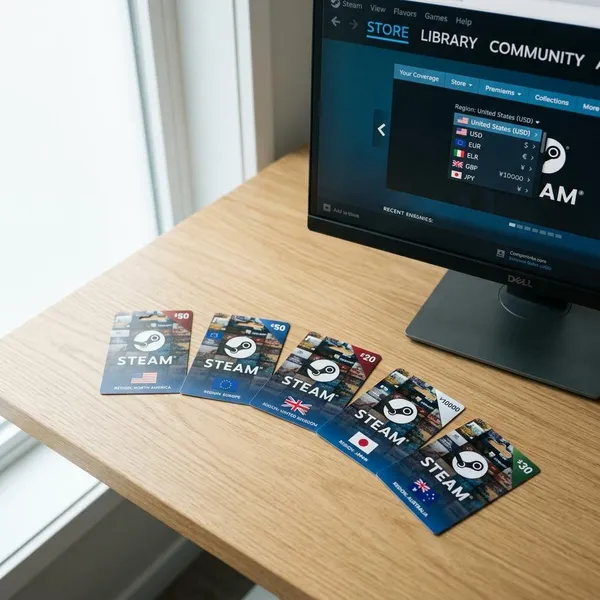
Steam Gift Card region and currency rules
Region and currency rules are the part most likely to cause confusion. A Steam Gift Card bought for one market may not work for a different account region, and a successful redemption may show a wallet amount in the account's local currency.
This is why buying from the right source matters. A cheap code from another country can become useless if it does not match the recipient's Steam account.
Local retailer availability
Local retailer availability depends on the country and on remaining stock. When a physical card is sold locally through a reputable store, it is more likely to match the local market than a random international code listing.
If local cards are hard to find, do not treat unknown resellers as the automatic replacement. Steam digital gifting is often safer when available for the sender and recipient.
Wallet currency conversion
If Steam accepts the code, the balance may be shown in the wallet currency linked to the account. That display can differ from the currency printed on a card or shown on a product page.
The important question is not whether the currency label looks identical, but whether the code was accepted and the value was added according to Steam's current wallet rules.
Country or region limits
Country or region limits can block redemption. Be especially careful when buying for someone in another country, because the recipient's account region matters more than the buyer's convenience.
- Be cautious with listings described only as global or worldwide.
- Check the seller's region information before paying.
- Use Steam's own gifting option when cross-border code compatibility is unclear.
Account redemption issues
Not every failed code is caused by region rules. The problem may be a mistyped code, the wrong Steam account, a previously redeemed code, a retailer activation failure, or a damaged physical card.
Start with the simple checks before assuming the card is invalid: compare each character, confirm the account, review the receipt, and contact the seller if the card was bought from a store.
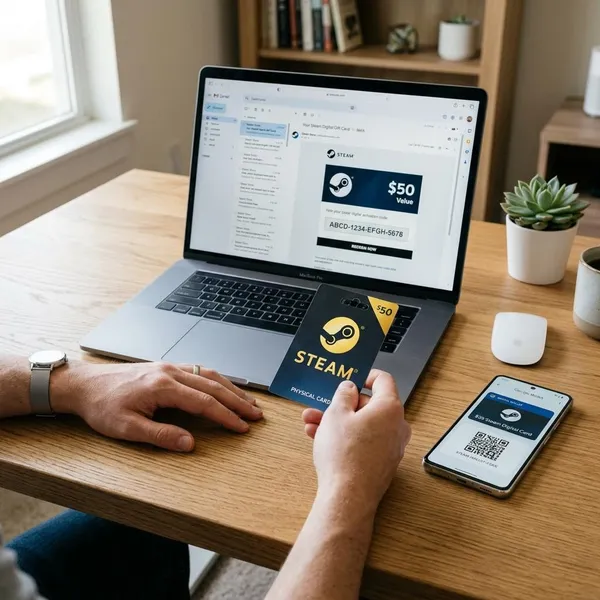
Steam Gift Card delivery options
The best delivery option depends on how quickly the gift needs to arrive, whether the recipient is already on Steam, and whether a physical card is still available where you live.
Digital delivery
Digital delivery is the fastest choice. The recipient may get Steam Wallet value through Steam, by email, or through an account dashboard, depending on the seller. Speed is useful, but only when the source is reliable and the region details are clear.
Physical card purchase
A physical card works well for in-person gifting if you can still find one from a reputable retailer. It feels more like a traditional present, but it also brings practical risks: damaged packaging, failed activation, lost receipts, or stock that is no longer regularly replenished.
Gift to a Steam friend
Sending value directly to a Steam friend is often the smoothest digital method. It avoids manual code entry and keeps the transaction inside Steam, although friend, region, and account requirements can still apply.
Retail card pickup
Retail card pickup can be convenient when a local store still carries cards. It lets you buy the card the same day, inspect it before purchase, and keep spending fixed to a set amount. Ask for the receipt and make sure the activation is completed at checkout.
| Delivery option | Best for | Main risk |
|---|---|---|
| Digital delivery | Fast online gifting | Unclear seller or region terms |
| Physical card purchase | In-person gifts | Tampering or activation problems |
| Gift to a Steam friend | Existing Steam contacts | Steam gifting limits |
| Retail card pickup | Same-day local buying | Limited or disappearing stock |
Conclusion
A Steam Gift Card is useful when you want flexible Steam Wallet credit instead of choosing a specific game for someone. For the safest experience, use Steam digital gifting or a trusted retailer, check region rules before buying for another country, and keep proof of purchase until the balance is successfully added.