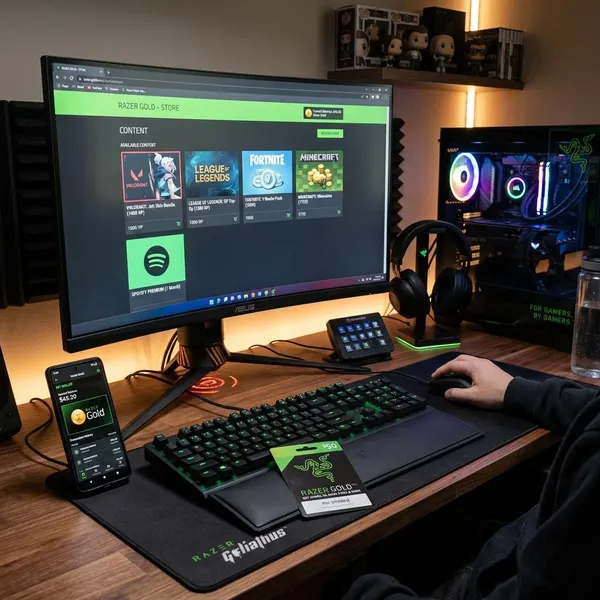
A razer gold gift card is prepaid value for a Razer Gold wallet. After you redeem the PIN, the balance can be used on supported games, in-game items, digital content, and selected partner services.
How Razer Gold works
Razer Gold works as a prepaid gaming wallet. You add funds first, then use the wallet balance with supported publishers, games, and digital services. It can also help users keep spending separate from a bank card or credit card.
The basic flow is simple: buy a valid PIN, sign in to the right account, add the value to your wallet, and spend the balance where Razer Gold is accepted.
Buy a valid PIN
Start with a Razer Gold PIN from a reliable source. Check the product name, value, region, currency, and delivery method before paying. A code can be real but still fail if it does not match your account market.
- The listing should clearly say Razer Gold PIN or Razer Gold gift card.
- The region and currency should be visible before checkout.
- The seller should provide an order record and support contact.
Sign in to Razer Gold
Sign in to the Razer Gold account that will receive the balance. If you are creating a new account, choose the correct country or region during setup, because account settings can affect whether a PIN can be redeemed.
Add the PIN to your wallet
Open the reload or top-up area and choose the option for a Razer Gold PIN. Enter the code exactly as shown in the email, receipt, or order page. Some products may include more than one number, so follow the field labels carefully.
If the code fails, do not retry blindly. Check for extra spaces, confused characters, account region mismatch, or a code that has already been used.
Spend on supported content
Once the balance is added, you can spend it only where Razer Gold is accepted. Support depends on the game, publisher, merchant, and region, so it is worth checking the payment options before you reload a large amount.
Track your remaining balance
The wallet balance lets you see how much is left after each top-up or purchase. That makes it easier to control spending on event items, game credits, subscriptions, or smaller in-game purchases during the month.
Where to buy a Razer Gold gift card
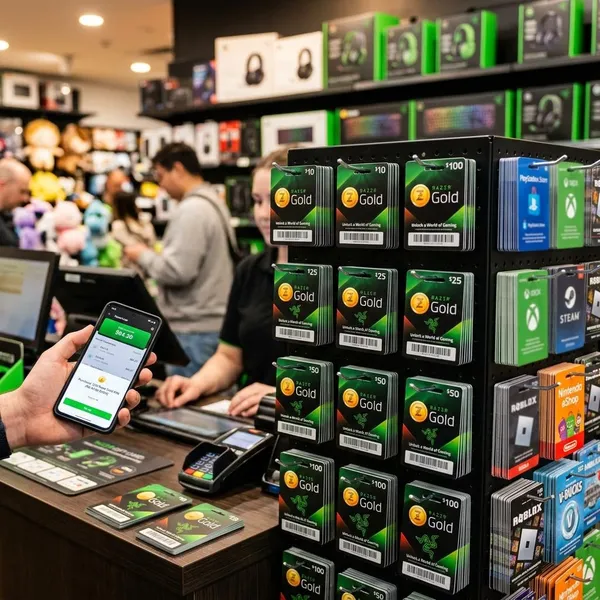
Safe buying matters because digital PINs are often non-returnable once delivered. A good seller should make the region, value, product type, delivery speed, and support terms clear before payment.
| Buying option | Best for | What to check first |
|---|---|---|
| Official Razer channels | First-time buyers | Account region and available reload methods |
| Approved online retailers | Fast digital delivery | Delivery timing and product region |
| Trusted gift card stores | More payment options | Recent reviews and support policy |
| Local payment partners | Local wallets or cash-based methods | Whether the partner is recognized in your country |
Who should use Razer Gold
Razer Gold is best for users who want prepaid control over gaming purchases. It is not necessary for every player, but it can be practical when credit cards, account safety, quick gifts, or spending limits are a concern.
Gamers without a credit card
Razer Gold can help gamers who do not have a credit card or do not want to use one online. They can buy a PIN through a supported seller, redeem it, and pay with wallet balance on eligible content.
Gift buyers who need fast delivery
A digital Razer Gold gift card can work well for last-minute gifts because many sellers deliver the PIN by email. The buyer does not need to choose a specific game, and the recipient can spend the value on supported content.
Speed still depends on the seller. For urgent gifts, check whether delivery is instant or subject to manual review.
Players who want wallet control
Players who make frequent small purchases may prefer a wallet because it shows the remaining balance in one place. This makes cosmetics, event packs, game credits, and similar purchases easier to monitor.
Users who prefer prepaid spending
Prepaid spending is useful when someone wants a fixed limit. A parent can load a set amount for a younger player, or an adult player can separate gaming purchases from the rest of their monthly budget.
- No open card connection is needed for every supported purchase.
- Spending stops when the wallet balance is gone.
- The account holder can reload only when they choose.
How to redeem a Razer Gold PIN
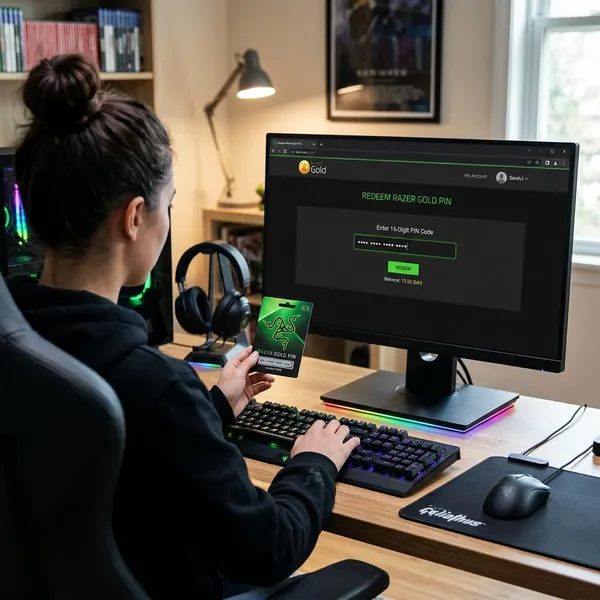
To redeem a Razer Gold PIN, use the account that should receive the balance, open the reload area, select the PIN option, enter the code carefully, and confirm the top-up.
Most failed attempts come from typing errors, region mismatch, or codes bought from unreliable sellers. Check those basics before contacting support.
Create or open your account
Open your Razer Gold account or create one with the correct country and account details. The region shown on the account should match the PIN you bought.
Choose the reload option
Go to the wallet reload or top-up page. This is different from paying for a specific game item at checkout, because you are adding value to the wallet first.
Select Razer Gold PIN
Choose Razer Gold PIN as the reload method. If several payment options appear, make sure you are selecting the prepaid code option rather than a bank card, local transfer, or another payment method.
Enter the PIN carefully
Type or paste the PIN exactly as provided. Watch for similar characters such as O and 0, I and 1, or S and 5. Remove extra spaces if you copied the code from an email.
- Use the PIN field for the PIN and the serial field only if the page asks for one.
- Do not share the code with anyone before redemption.
- Keep the receipt in case the seller or Razer support needs proof.
Confirm the top up
Review the details before confirming. After submission, check the wallet balance and transaction history. If the balance does not appear, refresh once and verify the order details before trying the same code again.
What you can buy with Razer Gold
Razer Gold can be used for gaming-related digital purchases from supported merchants. The exact options depend on your country, the game, and the publisher's payment setup.
Before adding a large balance, check whether the game or service you want actually accepts Razer Gold in your region.
Game credits
Game credits are one of the most common uses. Players may use Razer Gold to buy currency for supported games, then spend that currency inside the game on eligible items or upgrades.
In game items
Some supported titles allow Razer Gold payments for skins, cosmetic bundles, boosts, event packs, or other in-game items. Availability changes by game, so the payment screen is the best final check.
Digital content
Razer Gold may also work for selected digital content sold through supported partners. This can include add-ons, entertainment products, or other eligible purchases, but it should not be treated as a universal online gift card.
Supported subscriptions
Some partners may allow Razer Gold for subscriptions or subscription-style services. Check whether the wallet can pay only the first charge or also future renewals, because recurring payment rules can vary.
| Content type | Typical use | Important limit |
|---|---|---|
| Game credits | Buying in-game currency | Game must support Razer Gold |
| In game items | Skins, boosts, packs, event items | Item availability depends on the title |
| Digital content | Eligible partner purchases | Not accepted by every merchant |
| Supported subscriptions | Selected recurring or access-based services | Renewal rules may differ |
Conclusion
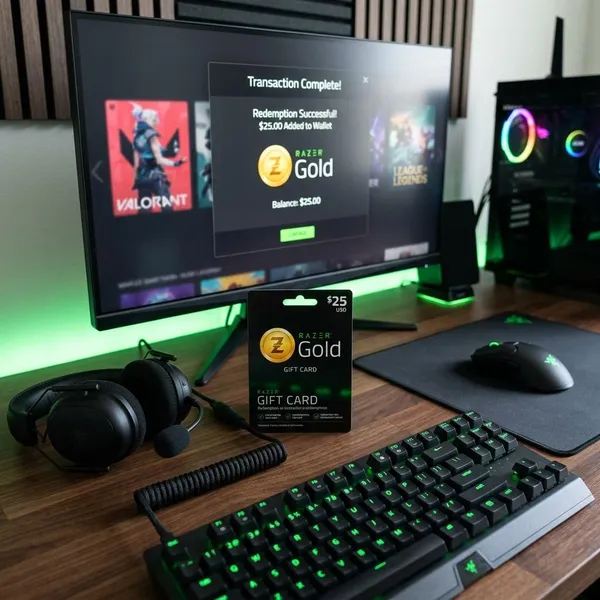
A Razer Gold gift card is a practical prepaid option for supported gaming purchases, especially for users who want fast digital delivery, no credit card at checkout, or a clearer spending limit. Buy from a trusted source, match the PIN to the account region, redeem it carefully, and confirm that your chosen game or service accepts Razer Gold before relying on the balance.